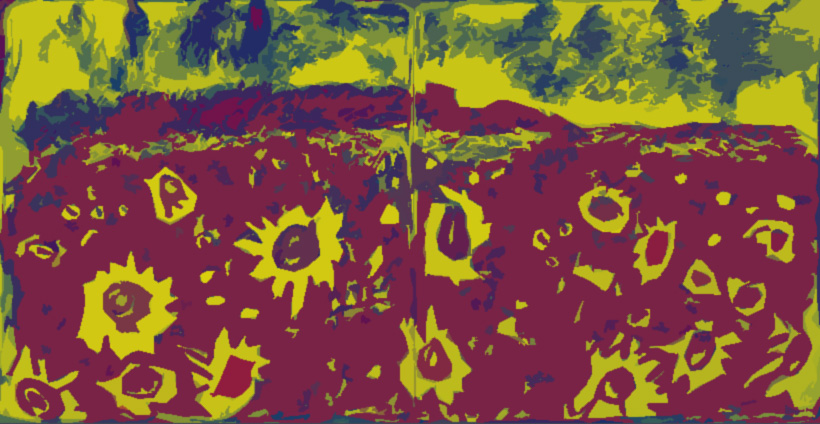

I take my art very seriously and I rarely relax and play around with it. I’m trying to be a bit freer, so this evening I had a play with a charcoal drawing I did way back in early lockdown – seems like so long ago now. I uploaded the drawing into Adobe Photoshop and messed around a bit. First I put it into Gradient Map and flicked through the options until I decided on this one (above).

Then I put the Gradient Map image through the filter gallery and settled on this one in Cutout. It’s pretty far removed from the original but it’s FUN. I almost certainly would not have drawn – or painted – something like this and Photoshop did it in a few minutes. Mind you, it took me a lot of effort to learn Photoshop in the first place. Here’s the original (below) of the sunflower fields in Rhossili.

Raising Funds.
My family is raising money for Phil, a younger relative of mine, to have life-changing surgery in Spain. Phil is disabled by Ehlers-Danlos Syndrome (EDS) and the operation he needs isn’t currently available in the UK. I know times are hard, but if you’re able to spare a bob or two, please click here find out more or to donate a small amount to Phil’s crowdfunding campaign. Thank you xxx

Trying Out A Change
I’m having a go at new templates for my website so I’ll be changing them a few times over the next couple of weeks to see how I get on with them. If there’s one you really like, or dislike, please let me know . Thanks x
 scribblah
Ooh I haven’t tried gradient map. Must check it out.
It’s fun!
Fun is good. Beautiful colors and beautiful original drawing.
Thanks. I love the way the app plays with colours from a b/w drawing